


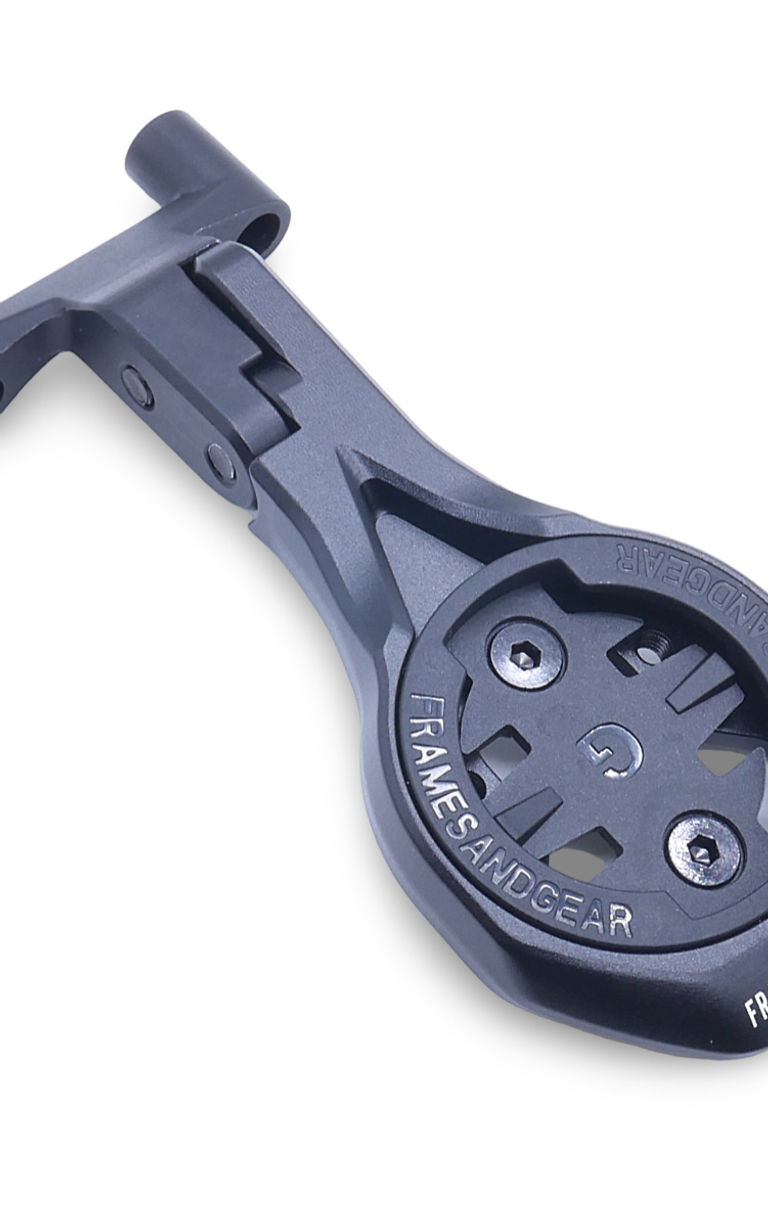

The Framesandgear Aero Computer Mount for FSA ACR Stem Black lets you mount Garmin, Wahoo, Hammerhead, and Bryton cycling computers directly on the FSA ACR Stem.
The CNC-machined aluminum computer mount allows for adding various add-on mounts, such as GoPro, Insta360, and quick-lock mounts. This computer mount supports Garmin, Wahoo, Hammerhead, and Bryton computers.
Full compatibility list:
- Universal 30 mm. Stem.
- FSA ACR Stem.
- Giant Contact SLR/ SL Stem.
- Lapierre DRS Stem.
- Beast components Stem.
- Orbea Orca (OC ST-RP21).
This mount fits all stems with a 30 mm distance from center to center of the (lower or upper) bolt holes on the front plate of the stem.
What's in the package:
- 1 x Framesandgear Aero Computer Mount in the selected length.
- 1 x (Selected) Computer mount insert for Garmin, Wahoo, Hammerhead, or Bryton.
- Hardware/Fitting bolts.
When to fit this product:
- Use it when you need a computer mount tailored for the FSA ACR Stem, or if you simply are seeking an upgrade for a clean mount that matches the cockpit.
- However, only use it when your bar/stem and interface match the confirmed compatibility list in the product description.
Key specs
- Compatibility: FSA ACR Stem
- Computer fit: Garmin, Wahoo, Hammerhead, and Bryton
- GoPro: Without GoPro (can be added)
- Mount angle: Adjustable (25° for Small sizes, 6° for Medium and Large sizes)
- Material: 7075 CNC-machined aluminum
- Weight: 32-36 g.
Important compatibility note
- With a cycling computer installed, Framesandgear computer mounts can support one additional device underneath: either a light or an Insta360/action camera—not both.
- When using a cycling computer, select only one add-on device for the underside of the mount.
Why 7075 CNC-machined aluminum
7075 CNC-machined aluminum provides a stiff and strong base for an out-front computer mount, ensuring the computer stays stable on rough roads and during hard efforts. Further, the machined shape helps match the cockpit interface precisely. As a result, the mount supports a strong, cleaner setup and consistent computer position without adding unneeded bulk.
Mount installation on the handlebar/stem
- Fit the mount according to the original handlebar or stem manufacturer’s instructions.
- Use the torque value specified by the handlebar/stem manufacturer for this mounting point.
- Do not overtighten. Many bar and stem systems, especially carbon interfaces, have low torque limits, such as 3 Nm.
- Ensure the mount is seated evenly before final tightening.
- Check that the mount is secure before riding.
Adjustment and setting of the side angle adjust bolts
- Hand-thread both side bolts (2 × M4 × 10 mm, included) to keep the mount loosely in place before tightening.
- Cross-tighten the side bolts — tighten each bolt gradually and alternately (left → right → left → right) to ensure an even, balanced fit across the interface. Do not fully tighten one side before the other.
- Torque to 4 Nm on each bolt. At 4 nm, the arm locks firmly in position and will remain stable even when an add-on mount (GoPro, Insta360, or quick-lock) is attached.
- Weight: 36 g
- Dimensions: 110 mm
- Bolt Type: 2x M5*30 (Black Steel) Included
- Discipline: Road · Offroad
- Stem/Bar Model: ACR/ NS ACR
- Stem/Bar Brand: FSA
- Material: Aluminium (7075)